
The agent doesn't answer
Try these in order.
1. Send /stop
Section titled “1. Send /stop”If a previous task is still running, new messages queue behind it. /stop cancels the current task
and clears pending work. Then send your message again.
2. Reconnect the bot
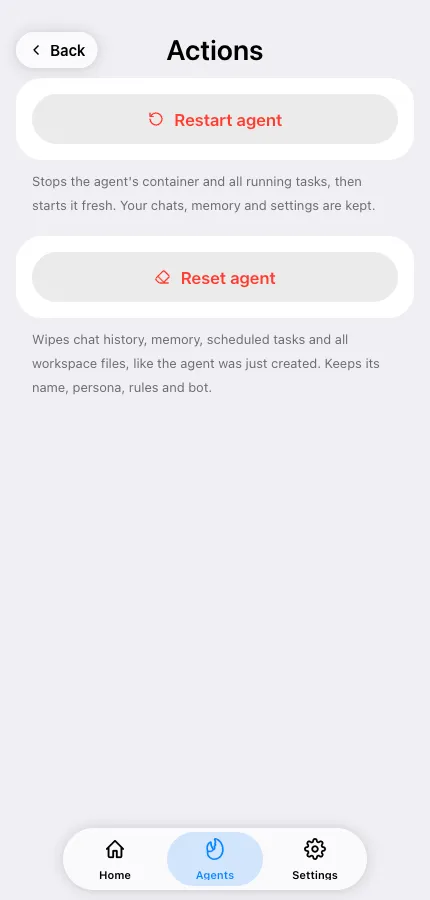
Section titled “2. Reconnect the bot”Open the agent in the Mini App → Actions → Reconnect bot. This restores the bot’s connection to Telegram (its webhook and settings). It’s the single most common fix when a bot that used to work goes quiet.
3. Check the agent is active
Section titled “3. Check the agent is active”On the agent’s screen, the status should read Active. If it says Waiting for Telegram…, bot creation never finished — tap Finish in Telegram.
4. Check credits and plan
Section titled “4. Check credits and plan”If your balance is empty, paid runs stop. Open the plan card and look at your credit balance; top up or upgrade if it’s at zero. On Free, the cooldown between messages can also make replies feel like they’re not coming. See How credits work.
5. Check who’s allowed to talk to it
Section titled “5. Check who’s allowed to talk to it”If the bot is private, only you and the allowed users get answers — everyone else is ignored silently. See Control who can use your agent.
6. In a group?
Section titled “6. In a group?”Group silence usually has a different cause — see No replies in groups.
7. Restart the agent
Section titled “7. Restart the agent”Actions → Restart agent stops the container and all running tasks and starts fresh. Chats, memory and settings are kept.
Still nothing
Section titled “Still nothing”Write to contact@teleclaw.bot with the bot’s @username, the chat it happened in, and roughly when. See Contact support.