
Agent memory
Your agent builds memory as it works: facts about you, decisions, preferences, what happened in a given chat.
Memory is per conversation
Section titled “Memory is per conversation”Each chat — every group and every private conversation — keeps its own memory. What the agent learned in one group does not leak into another. That’s what makes “catch me up on what I missed in this channel” answer with this channel’s context.
Reading and editing it
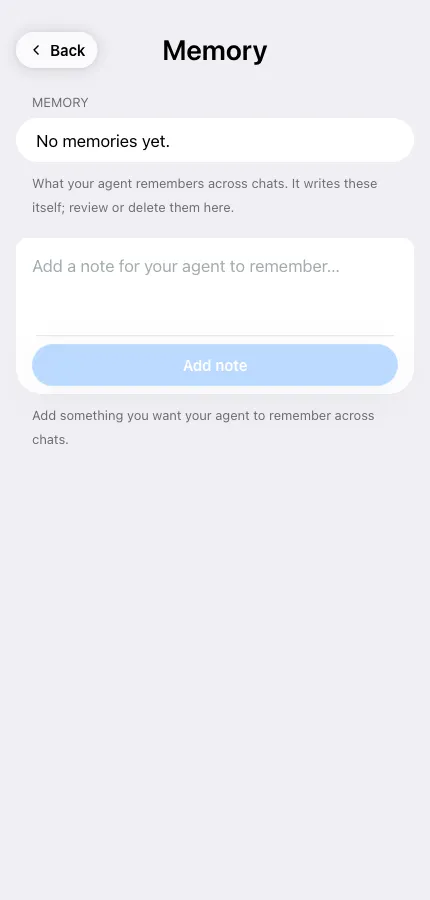
Section titled “Reading and editing it”Open the agent → Memory. You can review the entries and delete anything that’s wrong or outdated. Deleting is immediate and permanent.
Teaching it something
Section titled “Teaching it something”Two ways:
- In the chat — “remember that our release day is Thursday”.
- On the Memory screen — the Add a note for your agent to remember field writes an entry directly, which is handy for facts you don’t want to wait for it to pick up.
For things it must never forget or override, use Rules instead — see Customize agent instructions.
Clearing everything
Section titled “Clearing everything”Actions → Reset agent returns the agent to its just-created state: chat history, memory, scheduled tasks and all workspace files are deleted permanently. The bot, its name and its persona stay.