
Customize agent instructions
Open your agent in the Mini App → Instructions. The screen holds three fields: Persona, Rules and a Welcome message.
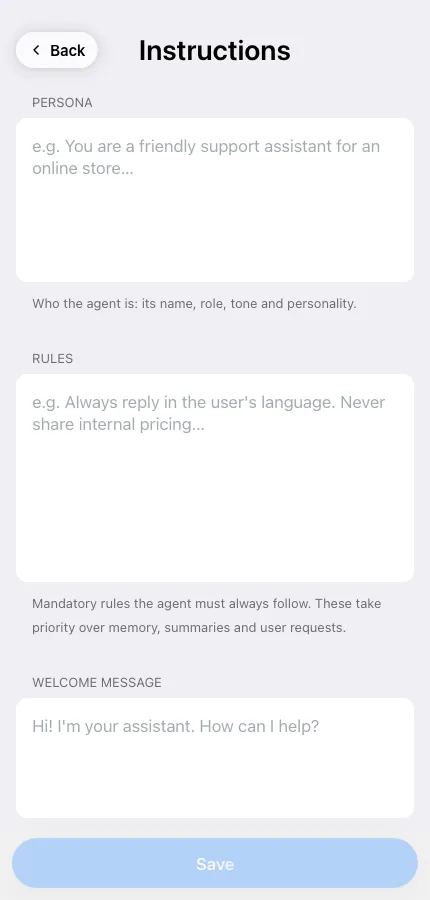
Persona
Section titled “Persona”Who the agent is: its role, tone and personality.
You are a friendly support assistant for an online store. You keep answers short and never promise a refund without checking the order first.
Mandatory instructions the agent must always follow. Rules outrank memory, chat summaries and even a user asking for something else — this is where you put the non-negotiables.
Always reply in the user’s language. Never share internal pricing. If someone asks for a human, give them @support and stop.
Which one wins
Section titled “Which one wins”When two instructions conflict, the order is:
- Rules — always applied.
- Persona — style and role.
- Memory and chat history — what it learned along the way.
- The current message.
So if your agent keeps drifting back to old behavior, the fix is usually a rule, not a longer message.
- One instruction per line. Short lines beat paragraphs.
- Write what to do, not only what to avoid: “answer in two sentences” works better than “don’t be verbose”.
- Changing the persona doesn’t wipe memory. To start truly clean, use Actions → Reset agent.
Welcome message
Section titled “Welcome message”The first thing the agent says in a new conversation. Keep it to one line that tells people what it can do for them.
Tap Save when you’re done — changes apply to the next message.