
Manage your subscription
Everything lives in the Mini App under your plan card (Agents → plan, or the Upgrade screen).
Subscribe or change tier
Section titled “Subscribe or change tier”- Open Upgrade.
- Pick the monthly credit tier you want, and monthly or yearly billing (yearly is cheaper).
- Choose a payment method — card, Telegram Stars or TON (see Payment methods).
- Confirm. The plan activates as soon as the payment clears, and included credits appear on your balance.
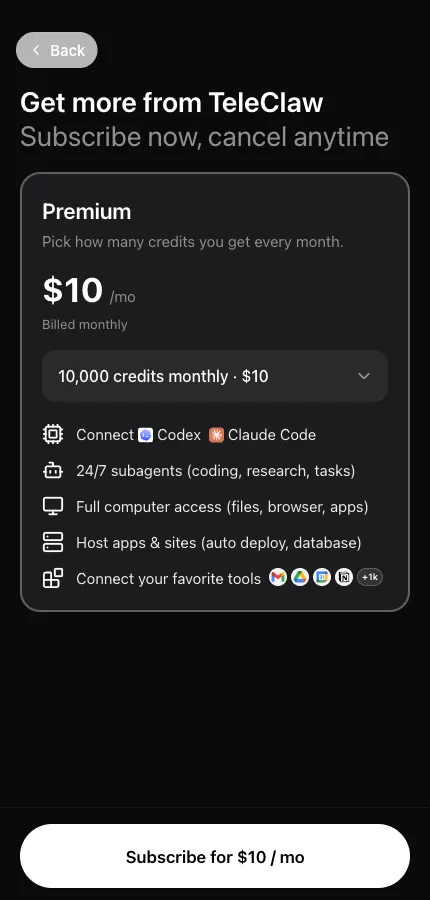
Changing tier later works the same way — pick a different tier and confirm.
Top up credits
Section titled “Top up credits”Credit packs are one-time purchases used when your monthly allowance runs out. They’re on the same screen, under Credit Packs.
Cancel
Section titled “Cancel”- Open your plan → Manage subscription.
- Confirm the cancellation.
Your plan stays active until the end of the billing period you already paid for, and the app shows the end date. Nothing is charged after that. Credits from packs you bought stay on your balance.
Cancelling a Telegram Stars subscription is done the same way in the app.
Receipts and refunds
Section titled “Receipts and refunds”Card payments are processed by Stripe; use the payment management link in the app for invoices. For anything unusual — a double charge, a payment that went through but didn’t activate — write to contact@teleclaw.bot with the date and method, and see Payment and credit problems.